Campaign Health Dashboard
Real-time clearance. Every sport. One screen.

Real-time clearance. Every sport. One screen.
See exactly where every student stands across every campaign — completion percentage, pending signatures, overdue forms — all on a single dashboard that updates in real time. Each campaign displays a completion ring showing the percentage of enrolled students who have fully cleared; the ring updates immediately when a parent signs, with no page refresh required. A student is marked overdue when they have not completed all required forms by the campaign's deadline date — that status is visible to the AD and triggers automated alerts to both the parent and the AD simultaneously. Exportable compliance reports are CSV files that include each student's clearance status, the timestamp of every status change, and outstanding form details — formatted for district submissions, insurance carriers, and legal documentation. Under FERPA, maintaining accurate clearance records with timestamped evidence is essential for demonstrating that your program followed proper procedures before any athlete participated.
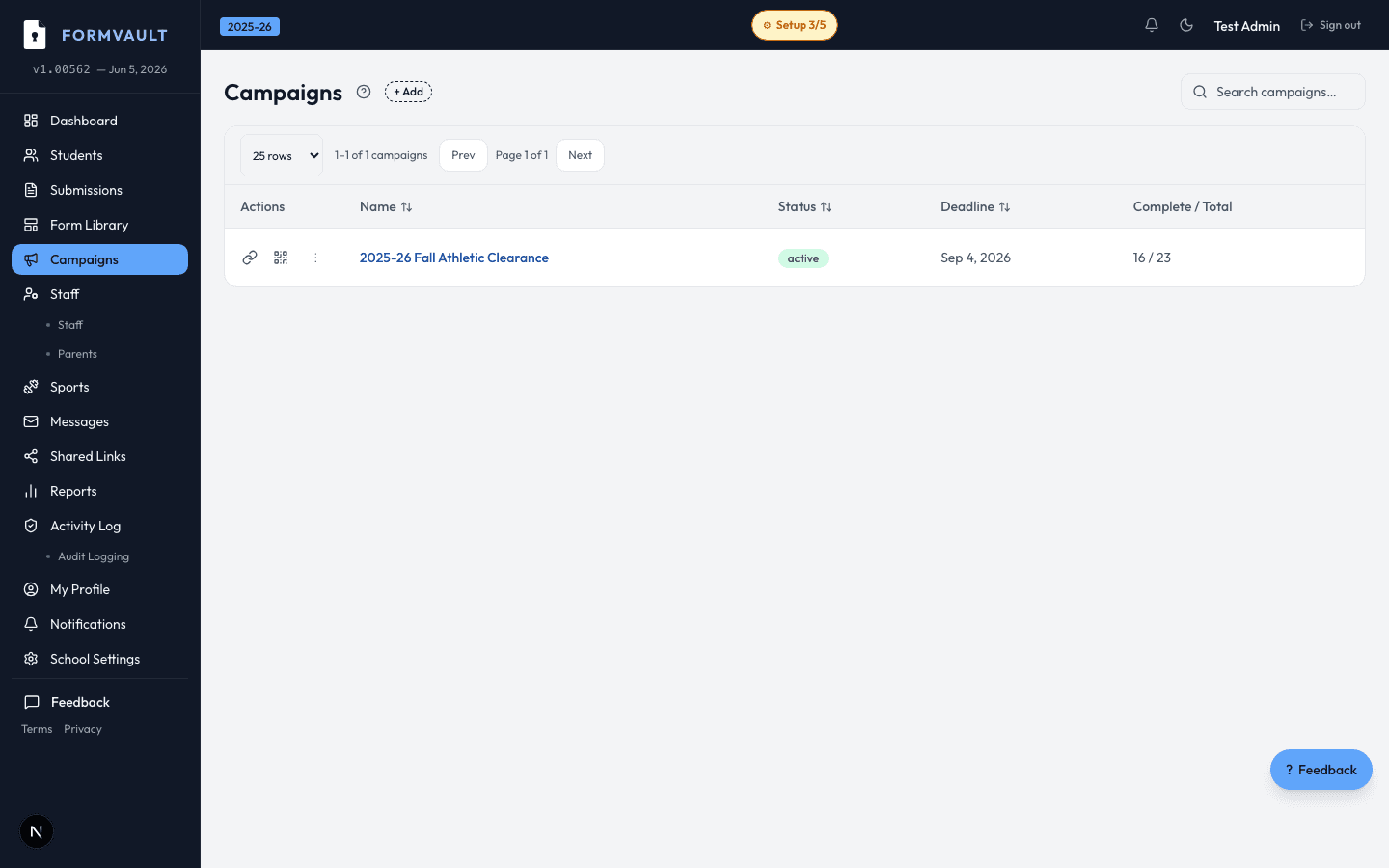
Open the admin dashboard to see all active campaigns
Each campaign shows a completion ring and student list
Filter by sport, status, or pending action
Export compliance reports in one click
For each active campaign: total students enrolled, overall completion percentage, count of cleared vs pending vs overdue, and a filterable student list with individual status indicators. You can see your entire school's clearance posture at a glance.
In real time. When a parent signs a form, submits a physical, or when any status changes, the dashboard reflects it immediately — no manual refresh needed. This means your game-day cleared list is always current.
Yes. Filter by sport, clearance status (cleared, pending, incomplete, overdue), or search by student name. Filters combine — you can view 'Fall Football — Incomplete' in seconds to identify exactly which students need follow-up before the season starts.
Yes. Export the full roster with clearance status as a CSV file suitable for district compliance reports, board presentations, or insurance documentation. Exports include the timestamp of each status change for complete record-keeping.
Yes. Past campaigns are archived and searchable indefinitely. This is useful for year-over-year comparison, insurance documentation, and proving compliance status at a specific date and time — for example, confirming a student was cleared before a game where an injury occurred.
Add them to the campaign roster at any time from the admin dashboard — search by name, enter their grade and sport, and confirm enrollment. They are immediately added to the active campaign and receive the standard invitation email with their signing link. The automated reminder sequence starts from that point, spaced relative to the campaign's existing deadline. Their status appears in the dashboard instantly, and the completion ring updates to reflect the new enrollment count. No new campaign is needed and no existing student records are affected.