Expiring Share Links
Access that expires automatically. No cleanup required.

Access that expires automatically. No cleanup required.
Share links that stop working after your deadline — no manual revocation, no stale links floating around. Set a deadline, distribute, and FormVault handles the rest.
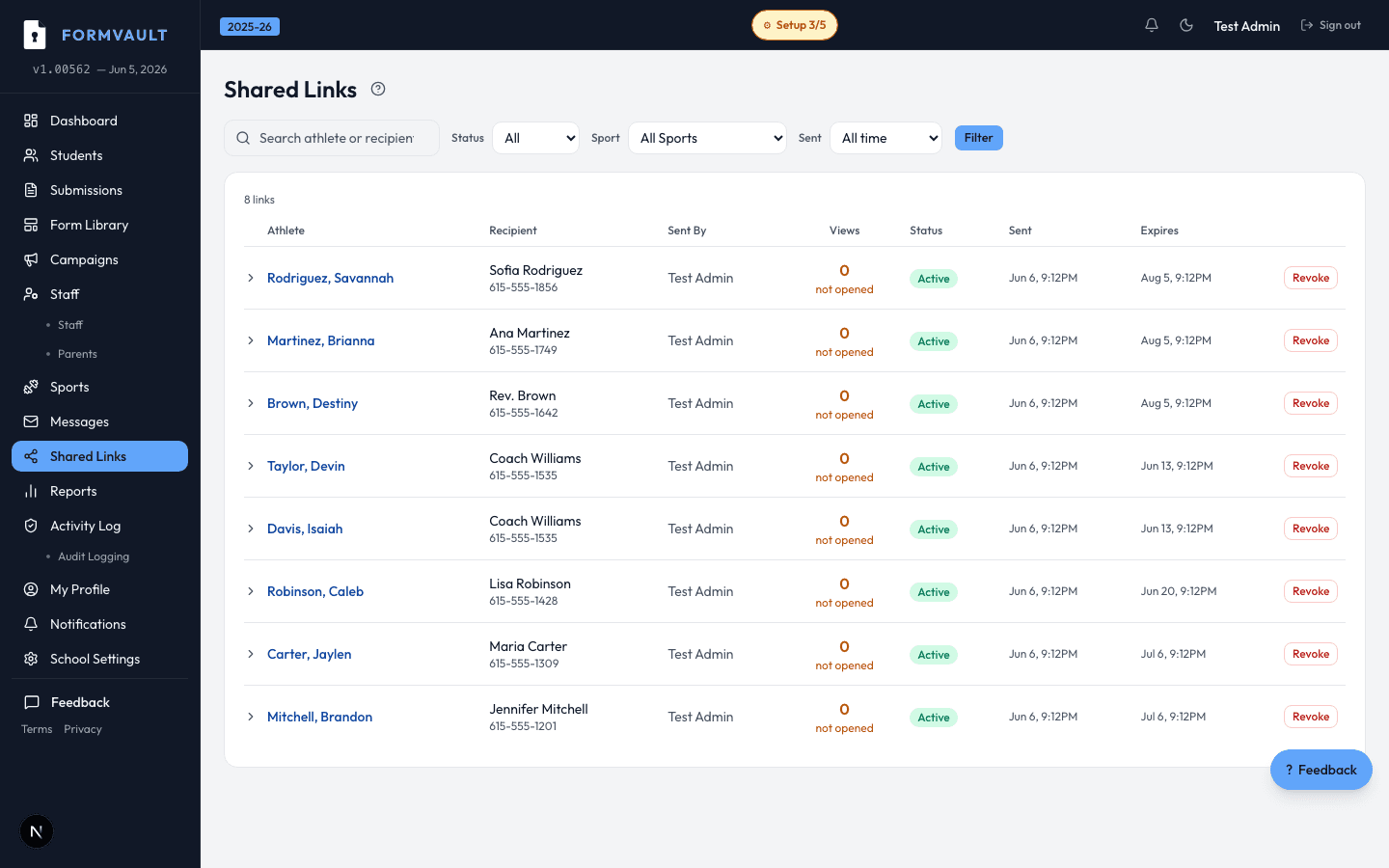
Set a campaign deadline when you create the form
FormVault generates a time-limited shareable link
After the deadline, the link automatically deactivates
Latecomers see a clear 'Deadline passed' message
Links expire at the exact campaign deadline you set during setup — down to the minute. You can also manually revoke any link from the admin dashboard at any time before the deadline, for example if a link was sent to the wrong person.
A clear, friendly message explaining the deadline has passed and providing the athletic director's contact information. There is no confusing 404 error or broken page — parents immediately know what happened and what to do next.
Yes. You can extend the campaign deadline in settings at any time. Existing links automatically honor the new deadline — no need to resend. Parents with the old link will find it still works until the updated expiry.
Yes. Coach access links for viewing student clearance status can also be time-limited, completely separate from parent signing links. This is useful for game-day credential distribution that should stop working after the event.
No limit. Create links for each campaign, distribute to email lists, or generate individual links for specific signers. Each link is tracked independently in the admin dashboard so you can see which distribution method is performing best.
Every link access — including attempts after expiry — is recorded in the compliance audit trail with timestamp, IP address, and outcome. This gives you a complete record of who tried to access forms and when, which is valuable for FERPA documentation.